- Choose native when the product depends on hardware or platform-specific behaviour.
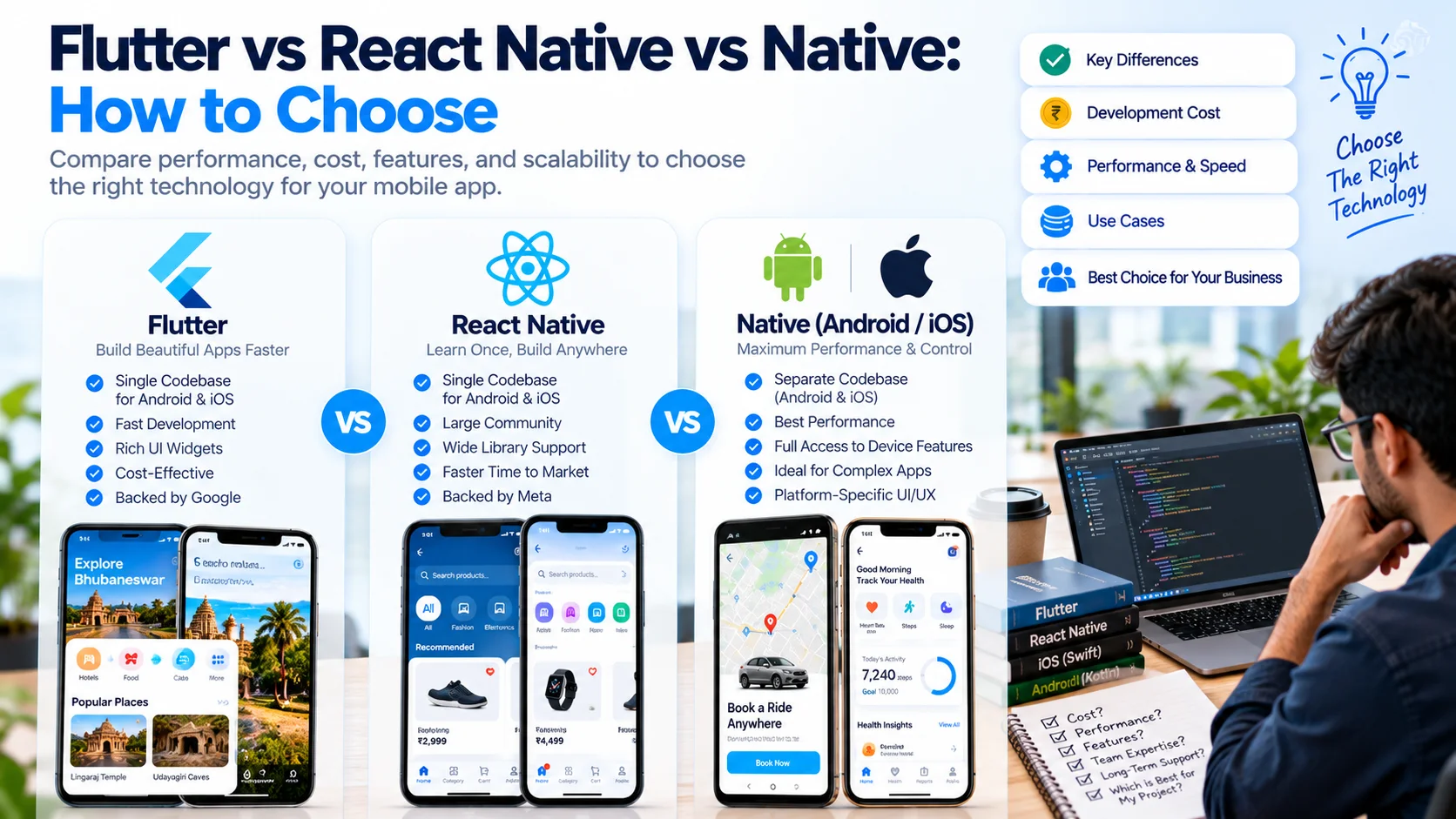
- Choose Flutter when interface consistency and one codebase matter most.
- Choose React Native when your team already lives in TypeScript and you want code shared with the web.
- Stack choice is a small part of your budget. Features, integrations, backend and QA dominate it.
The framework question comes up in almost every app project, and it is usually framed as a performance argument. In practice it is a staffing, maintenance and time-to-market decision, and the right answer often changes with the product rather than with the framework.
How the three approaches actually differ
Native means Swift or SwiftUI on iOS and Kotlin on Android. The application talks to the platform directly, so it gets new operating system features first and behaves exactly like the rest of the phone.
Flutter compiles Dart and draws its own interface with its own rendering engine. Because it does not use each platform's native widgets, the same interface renders consistently everywhere, which is why design-heavy applications tend to look the same on both systems.
React Native runs JavaScript or TypeScript and renders through native components, with a native module bridge for platform features. Teams with a web codebase can share logic, types and even some business rules between web and mobile.
Comparing them on the things that affect your budget
| Consideration | Native | Flutter | React Native |
|---|---|---|---|
| Time to first release | Slowest, two separate codebases | Fast, one codebase | Fast, one codebase |
| Interface consistency | Native feel per platform, by design | Identical everywhere | Mostly native widgets, small differences |
| Heavy hardware use | Best fit | Good, with platform channels | Workable, bridging adds work |
| New OS feature access | Immediate | Usually quick | Depends on library support |
| Hiring pool | Two specialist pools | Growing, single skill | Largest, from the web world |
| Long-term maintenance | Two codebases to update | One, with framework upgrades | One, with dependency churn |
| Sharing with web | None | Limited | Strong, if the web app is React |
When native is genuinely the right call
- The product leans on hardware: camera pipelines, Bluetooth peripherals, sensors, AR, background location or continuous audio.
- You need the newest platform capabilities the day they ship, and a competitor would gain if you waited.
- The interface must behave like the operating system expects, for example a deeply integrated health, wallet or automotive experience.
- The app is a companion to a device you manufacture, where stability matters more than development speed.
Native also means paying for two codebases. Budget for it honestly rather than discovering it at the second release.
When Flutter tends to win
Flutter suits products where the interface is the product: dashboards, booking flows, marketplaces, field applications, and anything with a custom design language. One team, one codebase, one visual result on both platforms, and no divergence when a designer changes a screen.
Its constraint is the ecosystem. Less common platform integrations may need a plugin that does not exist yet, which means writing a platform channel in Swift or Kotlin. That is normal work, but it needs to be planned rather than assumed.
When React Native tends to win
React Native fits when you already have a TypeScript team and a web application. Shared validation rules, shared API clients and shared types remove a category of bug, and your existing developers can move onto mobile without learning a new language.
The trade to manage is dependencies. A React Native project sits on a large package graph, so plan for periodic upgrades and avoid libraries that are not actively maintained.
What actually drives your app budget
Developers tend to over-argue the framework and under-argue everything else. In real projects the cost sits in:
- Feature depth rather than screen count, especially anything involving payments, scheduling, chat or offline use.
- Integrations with systems you already run, and the quality of the interfaces those systems expose.
- Backend and administration, which is usually the largest single part of a serious application.
- Quality assurance across device sizes, operating system versions and poor networks.
- Release and store work, which recurs for every future update.
The hybrid option is normal, not a compromise
Many successful products are a shared backend with one cross-platform application, and a native module only where the hardware demands it. Others start cross-platform to validate the market and move a specific screen native when performance or platform integration justifies it. Deciding this in advance prevents a rewrite later.
How we decide on a project
We ask four questions: what does the hardware need, who will maintain this in two years, how much must be shared with an existing web platform, and how fast does the market require a first release? The framework falls out of those answers, and we will recommend native when it is the honest answer even though it is more work.
If you are weighing options for a specific product, our mobile app development team can assess the requirement and give you a straight recommendation, and you can see how this has played out in our project work. Send us the requirement and we will respond with a plan rather than a framework slogan.